ℹ️ This project started in Jan 2024, an year before AI agents were a commonplace concept
Agent for Windows 11
Bringing intent driven automation using AI in Windows
Status
Concluded
Duration
8 months
Platform
Windows inbox app
Introduction
AI agents are programs that can execute a task on user's behalf with complete or partial autonomy. In doing so, they are expected to come up with their own workflow and take non-critical decisions.
With recent development in AI, it is now technically possible to make an agent. However, the rules of governance, interaction and patterns were not defined in early 2024, when we began this project. We not only were building an agent but also decoding the complex layers of trust that still remains critical for its adoption.
Brief
The project aimed at creating AI agents for Windows 11 that can perform tasks on user’s behalf through APIs or screen understanding.
Scope
Scope was limited to non-creative tasks with singular outcome like filling a form, renewing a subscription, cancelling an order etc.
My role
I was the only designer working on this project and was involved from very beginning till the final phase.
Crafted communication & interaction patterns for human-agent interaction that became basis for later development in this space.
Designed interface, created pitch videos, conducted user research and curated marketing assets.
Exploration
Phase 1
I started the explorations with a scenario - booking a flight ticket
While this prompt seems natural & self explanatory, key information like source location for flight is missing
The agent will list the steps it will follow to execute the task
Before execution, agent pauses to give user time to review the steps
It provides control to pause or abort the execution if needed
In case of missing information, the agent makes an informed guess
It highlights the assumption making it easy for user to review & modify if required
The pattern also enables user to make changes in the step beyond assumption
Agent keeps user informed of the status of task throughout the execution process
Agent keeps user informed of the findings throughout the execution process
Agent formats the details in readable format and suggests next steps
Agent also clearly calls out the possibility of change in fare price at time of booking
When user gives a specific instruction, agent filters user preference and saves it for later as well
Agent calls out areas it will require help beforehand
No access to user account credentials and payment info is a conscious choice to draw bounds of autonomy
Agent tries to bring together the steps where it needs help to avoid notifying user multiple times
Find me the cheapest flight to Delhi in next 7 days
Sure. Here’s what I’ll do -
Find top
2
sites on
Bing
that
provide
affordable flight tickets
Check fare price for flights from
Hyderabad
to Delhi in next 7 days
Share details for flight with least fare
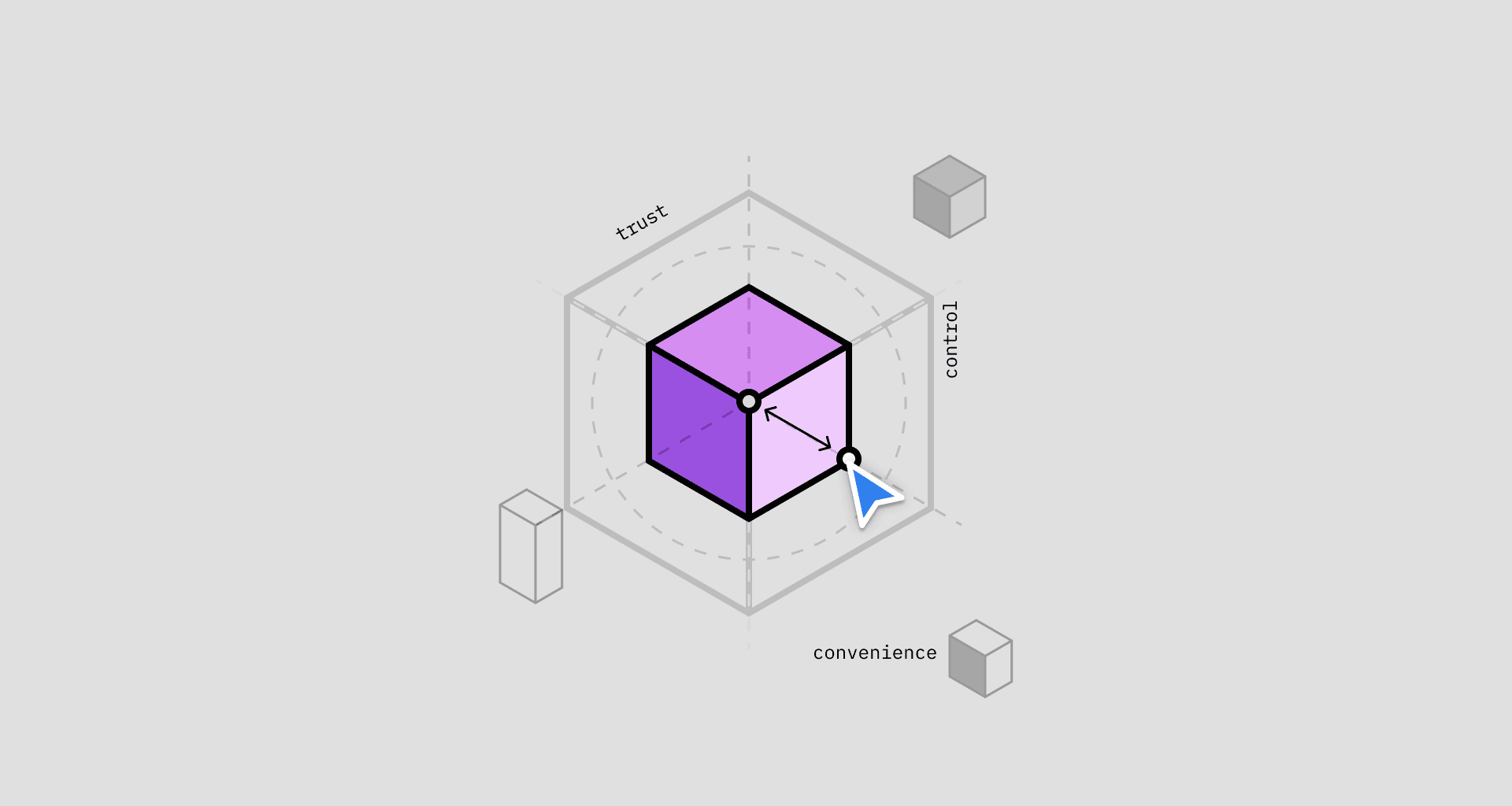
Design pillars
Clarity
Agent lists the steps it will follow, beforehand
It highlights the assumption making it easy for user to review
Agent keeps user informed of the status of task throughout
Agent also clearly calls out the associated disclaimers
Agent calls out areas it will require help beforehand
Agent lets user know if it does not have required know-how to perform a specific task.
Control
Agent pauses for user to review the steps before starting
Provides control to pause or abort the execution
Users can make in-line edits for the highlighted assumptions
Enables user to make changes to the step
Agent, by default, does not have access to user’s account credentials & payment info
Agent will confirm with user before critical, non-reversible steps
Convenience
In case of missing info, agent makes an informed guess
Agent formats the details for better readability
Agent suggests next steps at end of each task
Agent filters & stores user preference for future workflows
Agent tries to bring together the steps where it needs help to avoid multiple notifications
Agent can learn by watching (with user consent)
Feedback & learnings
At the end of this exploration, the team quickly released the first version for internal testing. It did not incorporate all the UX patterns we devised but that was a hard resourcing constraint
The known issue we expected to hear about was the on-screen control. This agent was designed to leverage API automation wherever possible. However, in cases where APIs were not available, it would do a screen understanding and click on relevant options, akin to a human.
It meant that while agent is executing a task, the users would see their mouse pointer moving automatically and would not be able to use their device.
We knew this wouldn’t work as-is so dev team spent more time finding a solution to this.
The feedback we were not expecting but received was - “agent feels too chatty”. Some users found it difficult to follow through the conversation.
In parts, it was due to the fact that not all UX patterns were implemented. But this also made us take a deeper, harder look and design the conversation itself.
It involved carefully revealing the relevant information while concealing the noise. I also worked on tone of the agent.
Introduction
AI agents are programs that can execute a task on user's behalf with complete or partial autonomy. In doing so, they are expected to come up with their own workflow and take non-critical decisions.
With recent development in AI, it is now technically possible to make an agent. However, the rules of governance, interaction and patterns were not defined in early 2024, when we began this project. We not only were building an agent but also decoding the complex layers of trust that still remains critical for its adoption.
Brief
The project aimed at creating AI agents for Windows 11 that can perform tasks on user’s behalf through APIs or screen understanding.
Scope
Scope was limited to non-creative tasks with singular outcome like filling a form, renewing a subscription, cancelling an order etc.
My role
I was the only designer working on this project and was involved from very beginning till the final phase.
Crafted communication & interaction patterns for human-agent interaction that became basis for later development in this space.
Designed interface, created pitch videos, conducted user research and curated marketing assets.
Exploration
I started the explorations with a scenario - booking a flight ticket